Every capture takes the same three steps.
Press a shortcut
Ctrl+Shift+A grabs an area. The tray menu and the palette cover windows, displays, and scrolling pages.
Pick what you want
Drag a region, click a window, or take the whole display. What you select is what you get, down to the physical pixel.
Act on it
Copy it, save it, annotate it, or drag it into a chat. The card sits in the corner until you decide.
What the beta ships with.
The capture ends when you let go
Every monitor freezes the moment you press the shortcut, so nothing moves while you aim. Drag the region you want and release. There is no confirm button to hunt for, and mixed DPI and HDR displays are handled the same way as everything else.
- Live pixel dimensions while you drag
- Enter confirms keyboard selections, Esc cancels
- Frozen frames on every monitor, mixed DPI included
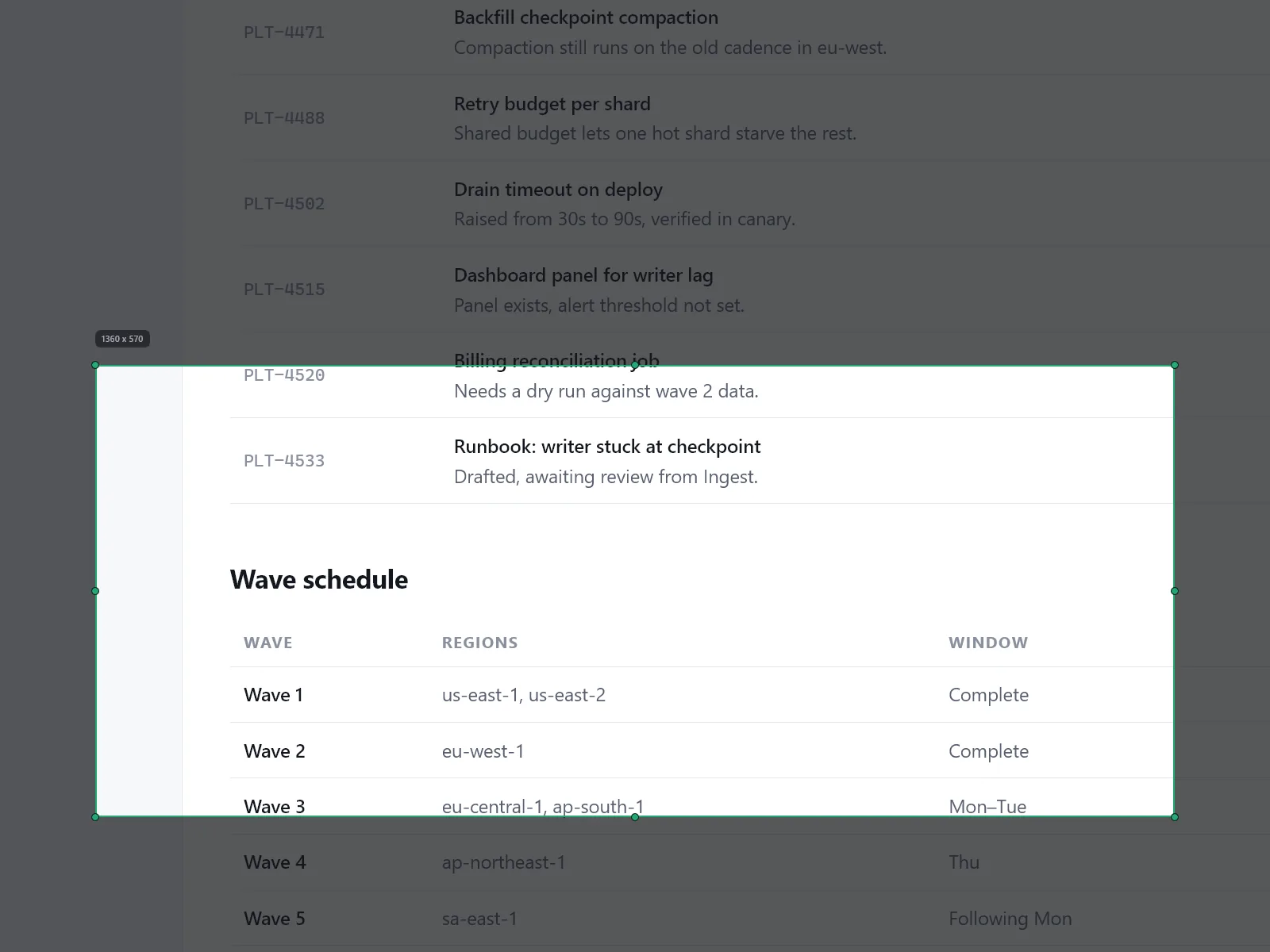
Pages taller than your screen
Pick a region at the top of the page and scroll it yourself. The stitched result builds in a live preview as you go, so you can see what you have. Scroll too far and it recovers on its own. Long captures get tiled to disk instead of eating memory.
- You control the scroll; no fragile auto-scroll
- Live stitched preview with overshoot recovery
- Disk-backed tiling keeps long captures light
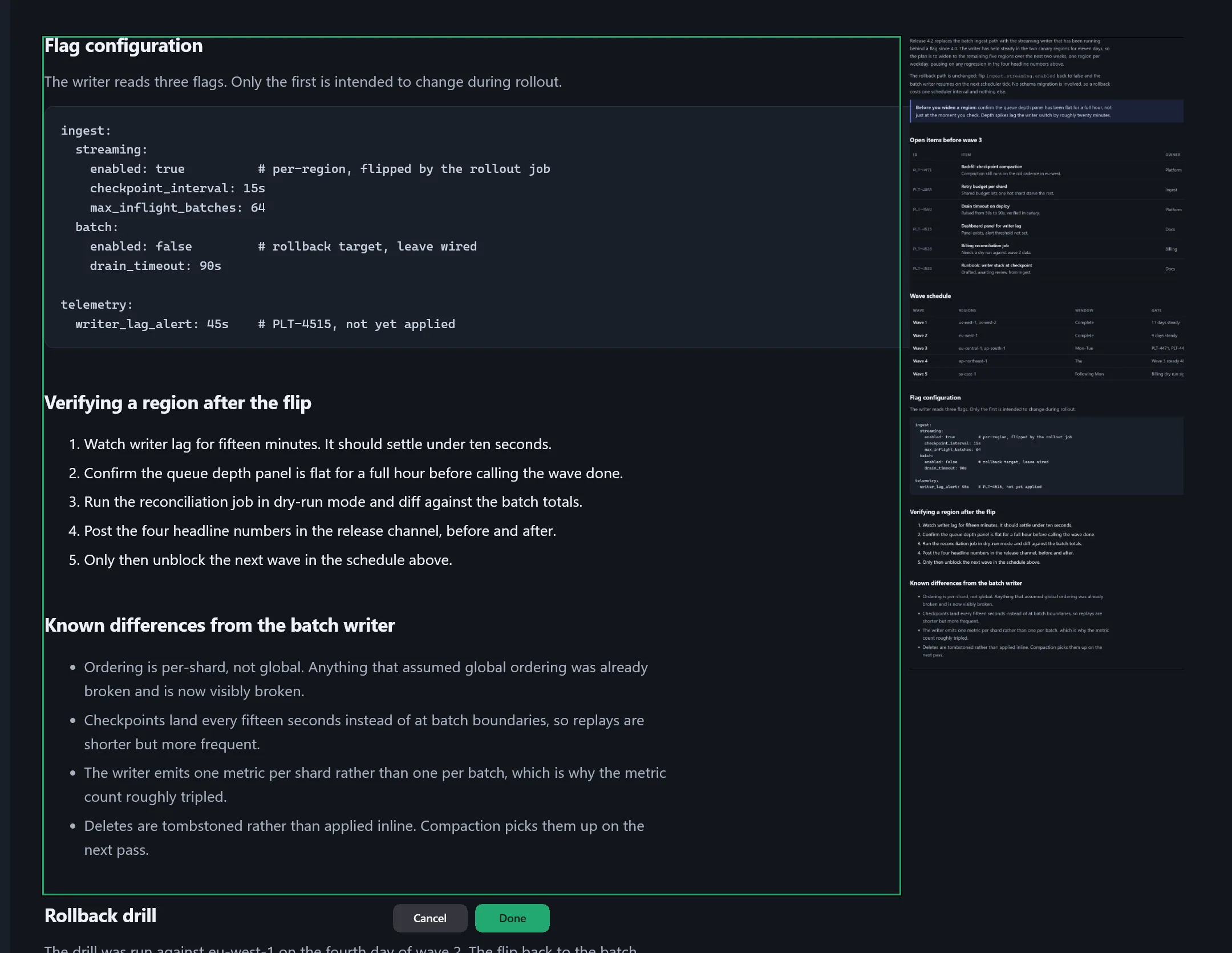
Your captures wait for you
Every capture lands as a card in the corner and stays there until you act on it. Copy it, save it, pin it, or open it in the editor. Close the editor and the card goes back where it was, in the same spot in the stack.
- Cards only leave on Copy, Save, or Close
- Pin a card and it survives Copy or Save
- Drag a thumbnail straight into chats and docs
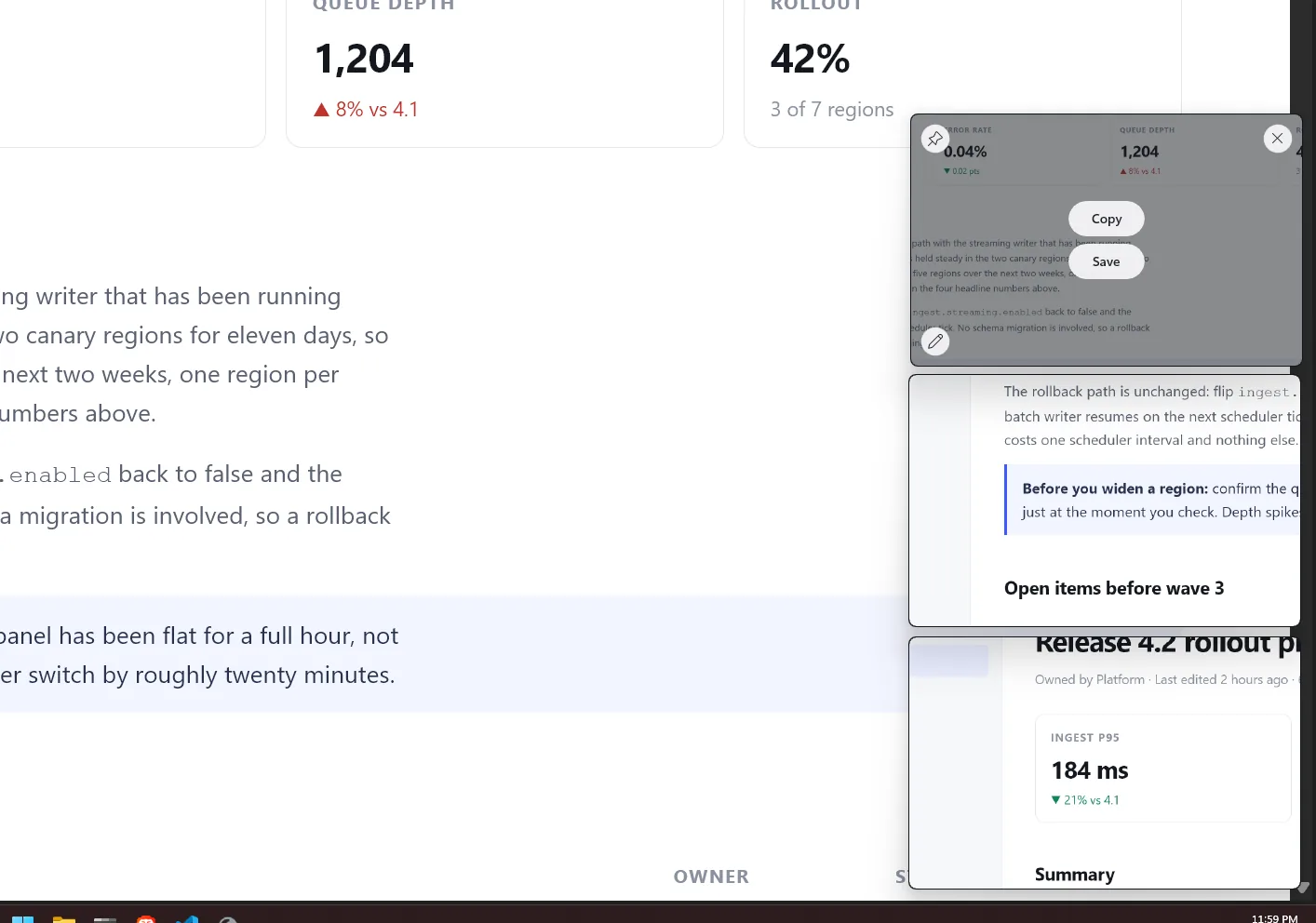
Keep one on top of everything
Float a capture onto the desktop and it stays above every window you switch to. Good for copying figures out of one app and into another, or working through steps from a screenshot without flipping back and forth. Lock it and your clicks pass straight through to whatever is underneath.
- Stays above every other window, in any app
- Lock it and clicks go through to what's below
- Nudge it with arrow keys, zoom or fade it with the wheel
- Close it and the capture goes back to the stack
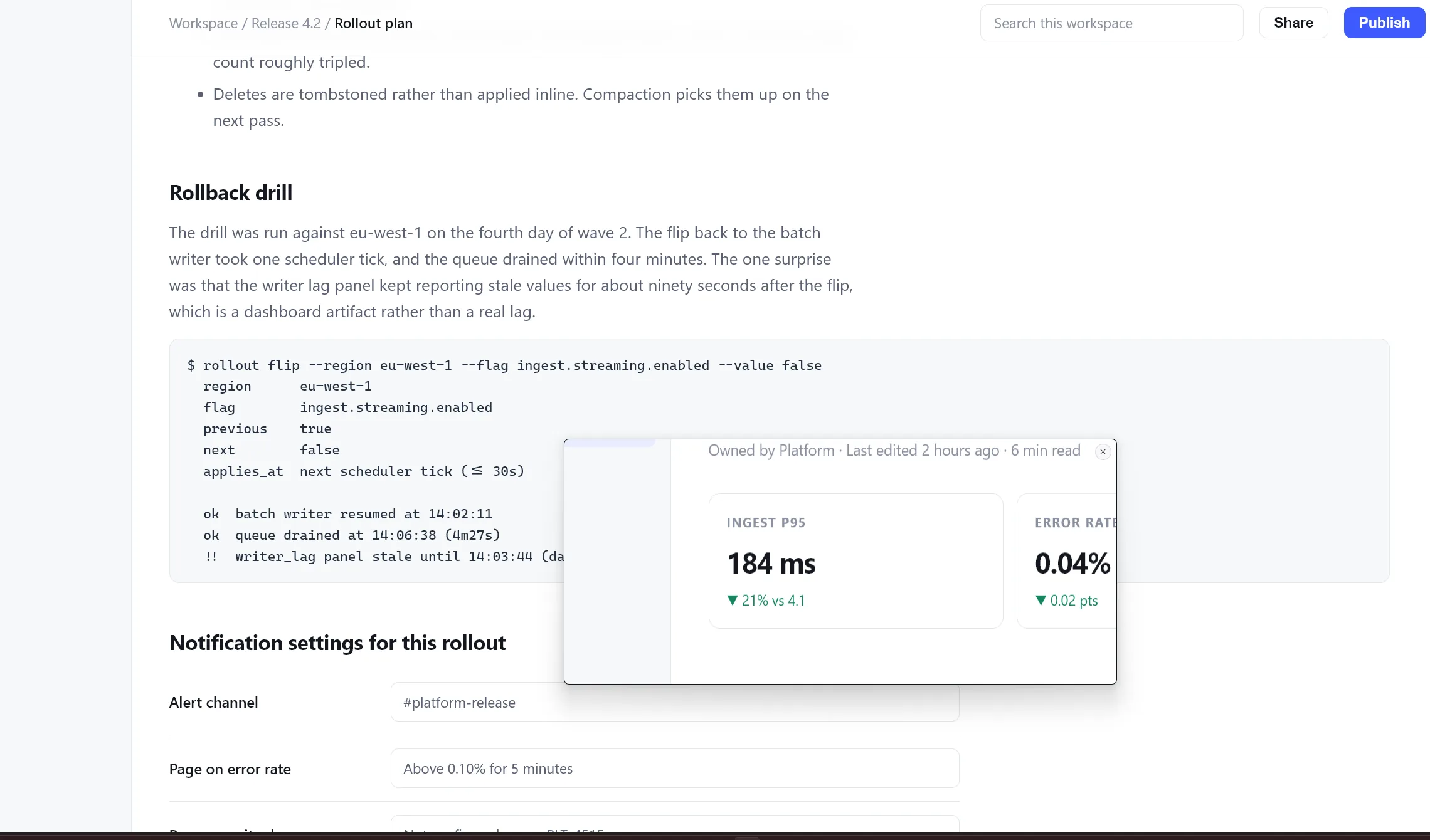
Annotate before you send
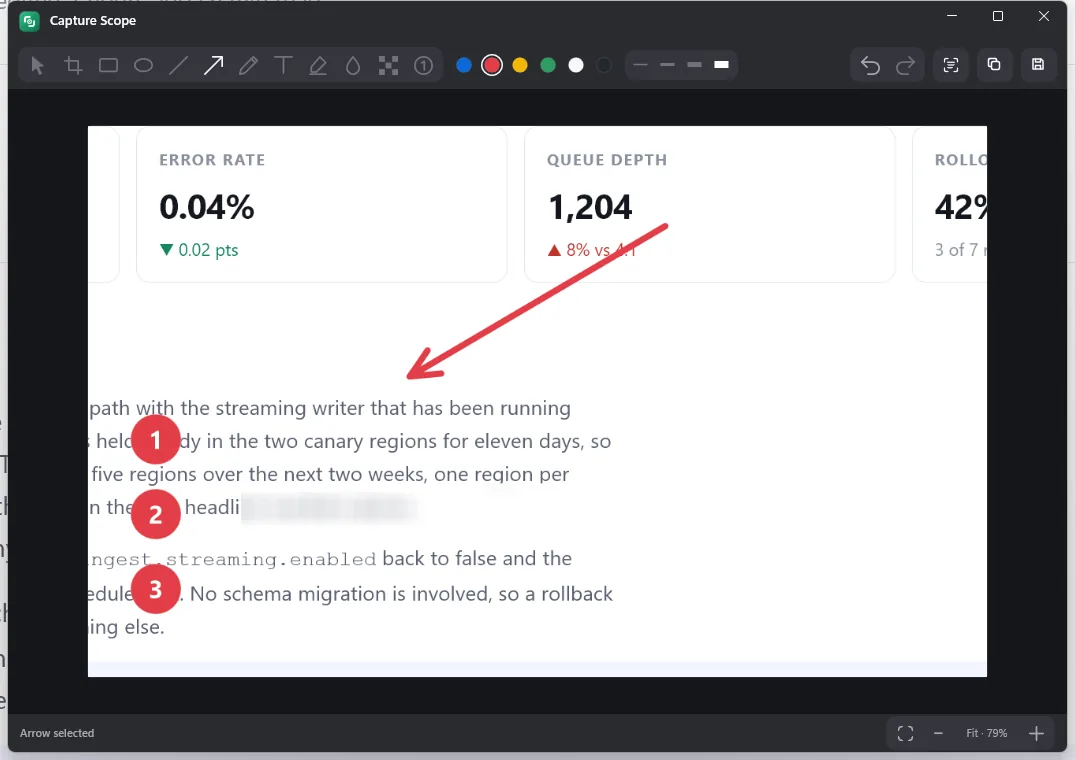
Crop it down, point an arrow at the thing you are talking about, number the steps someone needs to follow, and blur the password field before the screenshot leaves your machine.
- Crop, shapes, text, highlights, numbered steps
- Blur and pixelate sensitive regions
- Undo history and one-key Copy
Pull the text back out
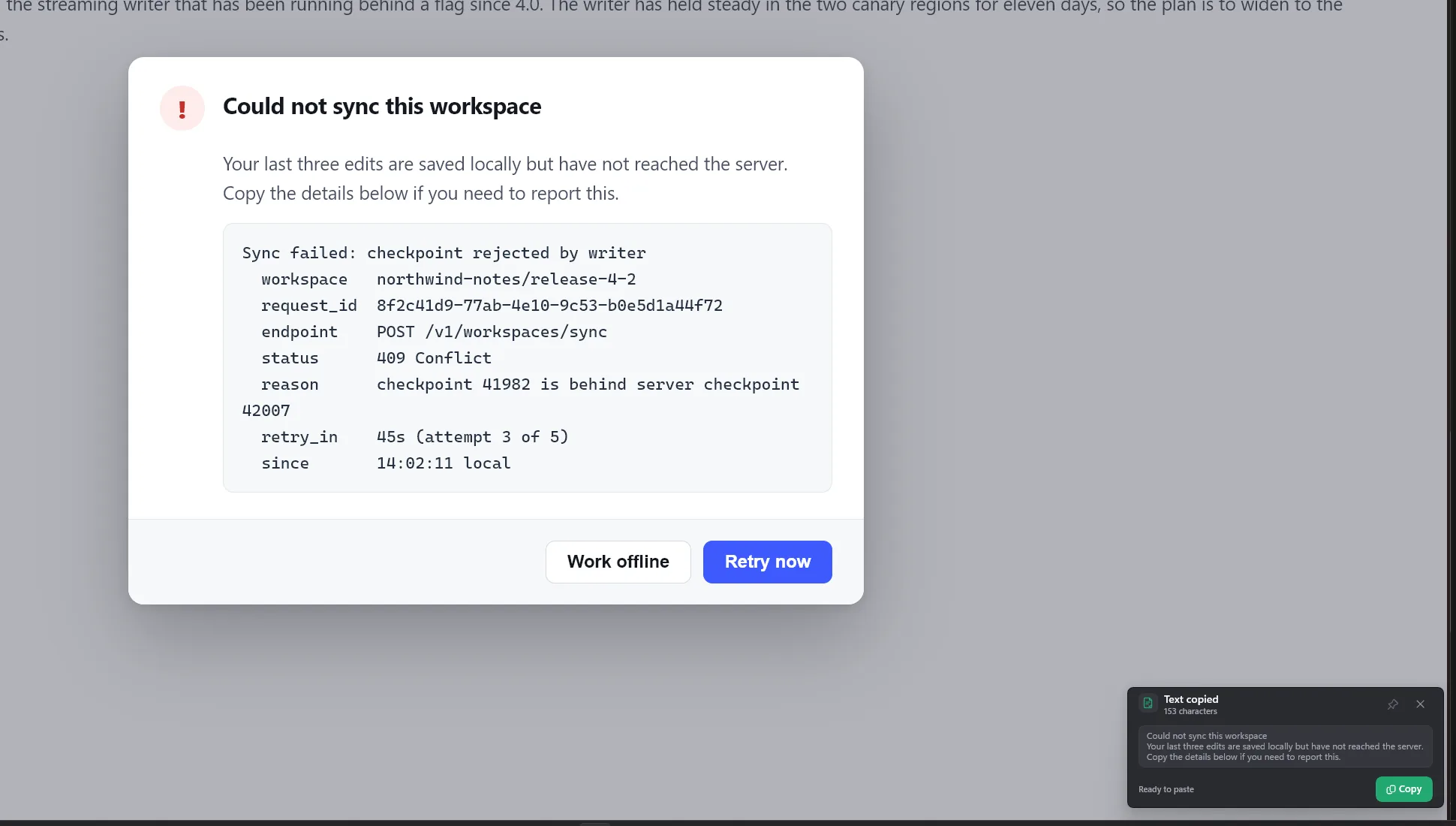
Capture text instead of pixels and it arrives on your clipboard as text. Useful for error dialogs that will not let you select anything, screenshots other people send you, and anything else stuck inside an image. It runs on your machine, using the languages Windows already has installed.
- Capture Text goes straight to the clipboard
- Extract a whole image or one region from the editor
- Runs offline, on your installed Windows languages
Lives in the tray
Every capture mode is one right-click away on the tray icon. Nothing sits on your taskbar.
Copy, save, or drag
Straight to the clipboard, out to a file, or dragged from the card into any app that takes an image.
Sharp at every scale
Physical-pixel capture across mixed DPI monitors, from 100% through 200% scaling, HDR included.
Light and dark, natively
Follows your Windows theme, from the palette through to the editor canvas.
Things people ask.
What is Capture Scope for?
Is Capture Scope free?
What does it run on?
How do I get an invite?
Does it record video?
What happens when the beta ends?
What about privacy?
Get an invite.
Invites go out in small batches to people who will use this every day and tell us when it breaks. Free for the whole beta.
We email you right away: a download link and activation key if a seat is open, otherwise your place on the list.
Request received.
We sent an email to . It should arrive within a few minutes.
If a seat is open, it has your download link and activation key. If this round is full, it confirms your place on the list.
Nothing after five minutes? Check your spam or junk folder for hello@capturescope.app, and add it to your contacts so the invite does not get filtered.
We only email you about the beta, and nothing else. See the privacy policy.